
CRE underwriting. A clearer deal.
01 Upload your documents
OMOffering memorandumT-12Trailing 12-month financialsRent rollUnit & lease detailsThousands of financial data points.
02 Cactus does the analysis

Extract · Reconcile · Analyze
~30 mintypicalMarket intelligence03 Explore the report
SAMPLE MULTIFAMILY REPORT Cactus valuation$37.4M$36M–$39M range · 400 unitsGoing-in cap6.25%Valuation NOI$2.34MLevered IRR7.57%Open report
Three ways to get your analysis.
Start your underwriting in ChatGPT, from your inbox, or in Cactus.
In ChatGPT
Add Cactus in ChatGPT and follow the prompts to connect your account. In a new chat, select Cactus, attach your documents, and ask for an underwriting report.
Open ChatGPT (opens in a new tab)Email in. Email out.
Send your OM, rent roll, and T-12 as attachments to deal@trycactus.com. Ask for an underwriting analysis, and Cactus emails back the results and a link to the full report.
Email your documentsIn the web app
Sign in at ai.trycactus.com, upload your property documents, and start your underwriting. Review the report, adjust assumptions, and download the Excel model in one place.
Open CactusThis is what you get.
The full story of a deal, from property value to buyer returns.
Property value
A valuation range, cap rate, and the assumptions behind the price.
- Example valuation
- $37.4M
$36M–$39M range · 6.25% cap rate
Income & NOI
Rents, vacancy, and the bridge from historical income to valuation NOI.
- Valuation NOI
- $2.34M
From $2.41M in normalized T-12 NOI
The cost story
Operating expenses, line by line. See what costs the most and why.
- Annual operating expenses
- $2.20M
Property tax is the largest: $659.1K
Buyer returns
Financing, cash flow, and projected returns at the modeled purchase price.
- Levered IRR
- 7.57%
7-year hold · 1.58× equity multiple
Built for the work behind the decision.
The model is yours to keep.
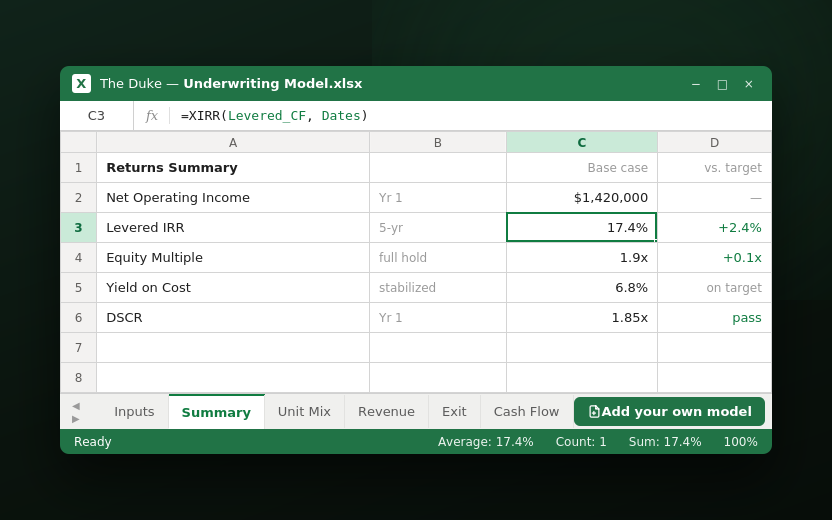
Download the complete Excel model with working formulas. Review the inputs, follow the calculations, and keep working in the spreadsheet your team already knows.
Put the market behind your assumptions.
Cactus matches your property’s financial inputs with relevant market data, including rental comparables and operating benchmarks. Review the evidence and choose the assumptions that drive your underwriting.
Less copying. More understanding.
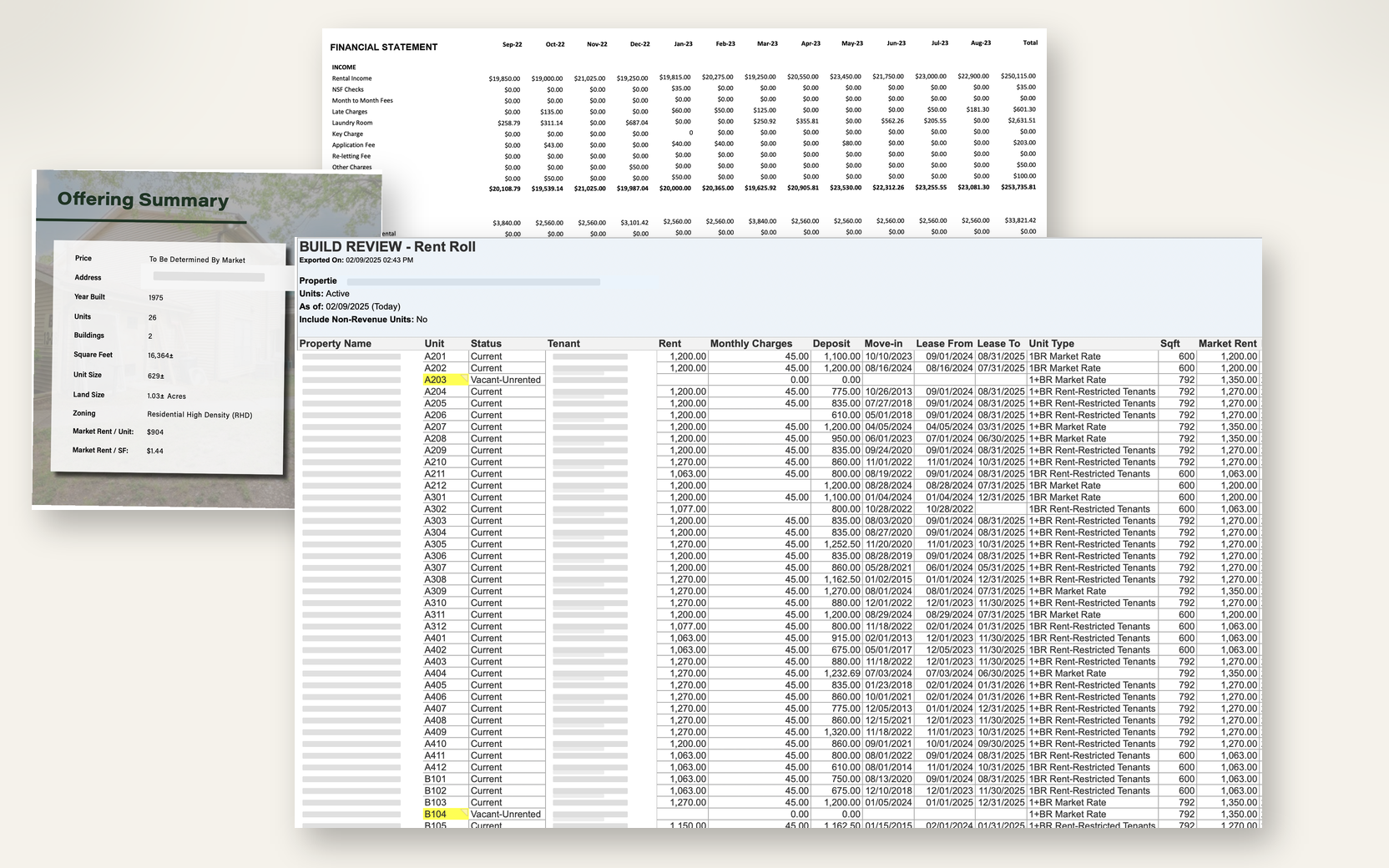
Turn PDFs and spreadsheets into structured property financials. Cactus extracts units, rents, income, and expenses from your OM, T-12, and rent roll, then reconciles the figures across documents.
CRE underwriting, explained.
Does automated underwriting make the investment decision?
No. Automation helps prepare and connect the evidence, calculations, and report. Your team decides which assumptions are supportable and whether the risk and projected return fit its investment criteria.
What documents can I bring?
Start with an offering memorandum, current rent roll, T-12, and supporting financial statements. Cactus works with PDF, Excel, and CSV deal materials. Include reporting dates and identify missing months or conflicting versions. Multifamily is supported today; other asset classes are in beta.
Which assumptions does my team control?
Review the historical-to-forward NOI bridge, rent growth, vacancy, concessions, taxes, insurance, financing, hold period, and exit cap rate. Separate document facts from assumptions. Market evidence supports a choice; it does not remove the need to choose and explain it.
How do we evaluate accuracy?
Bring a deal your team has already reviewed. Reconcile units, occupied units, annual income, operating expenses, and source periods against that known package. Then compare the model calculations and sensitivities using the same assumptions. We do not publish a universal accuracy percentage: document quality and missing evidence affect the result.
What requires human review before sharing?
Your team checks extraction exceptions, reconciles conflicting documents, approves assumptions, and reviews the financial results and open diligence questions. A generated report is a starting point for that review. Projected returns are conditional estimates, not guaranteed outcomes.
Bring a deal you already know.
Compare the documents, assumptions, and report with your team’s own analysis.